

Without Momentum
- Re-entering customer information
- Building estimates manually
- Chasing customers for approval
- Disconnected pricing and service information
- Recreating approved work in the schedule
Estimates
Create professional estimates from the office or field, send them for customer approval, and turn accepted estimates into scheduled work without entering the same information twice.
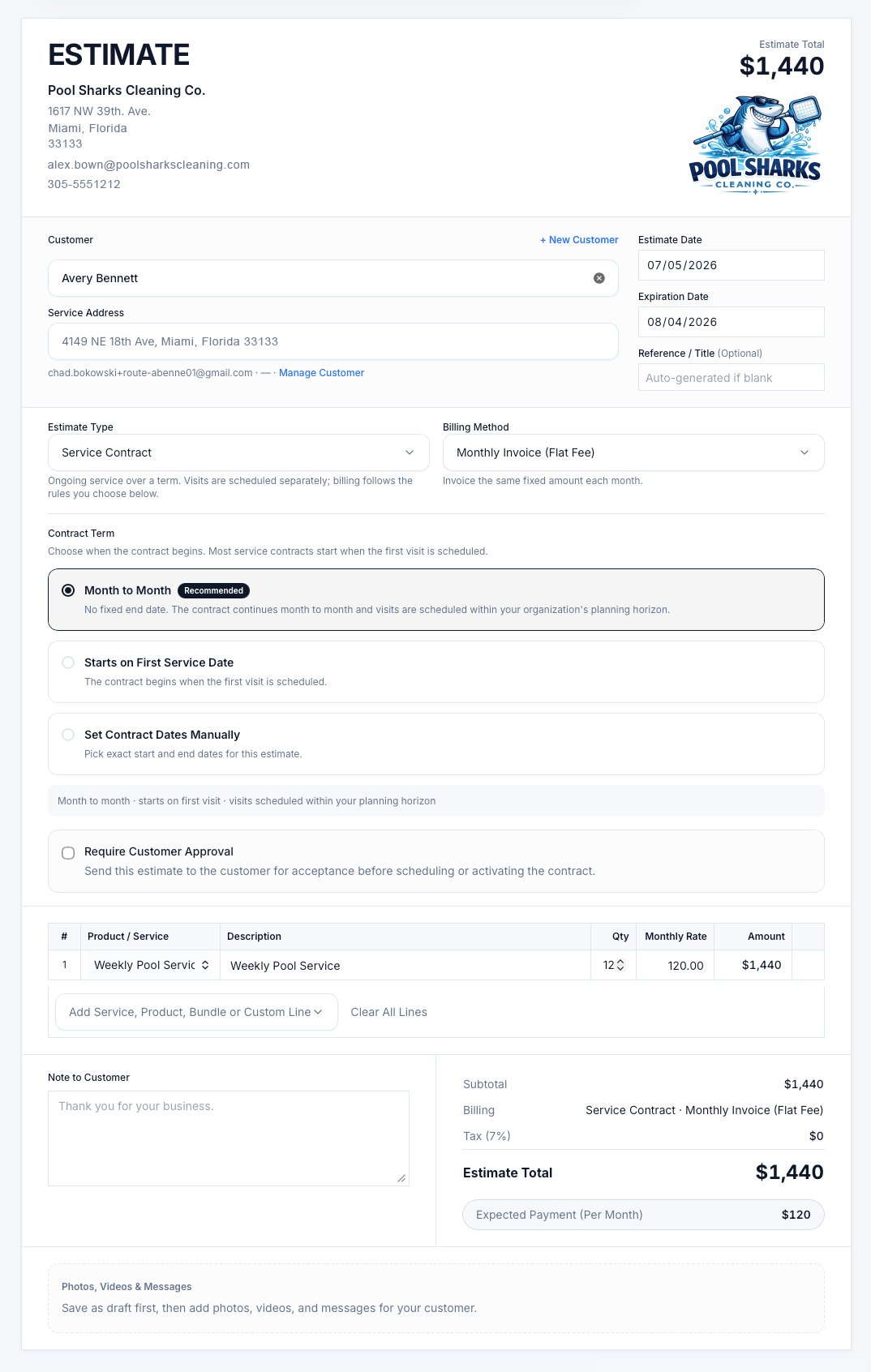
Build professional estimates for one-time jobs or recurring service using saved services, products, bundles, pricing, photos, and notes. Send estimates for customer approval, then turn accepted work into scheduled jobs or visits without re-entering information.
Build accurate estimates using saved services, products, pricing, taxes, and discounts.
Send professional estimates by email, SMS, or push notification.
Let customers review and approve estimates online from any device.
Turn approved estimates into scheduled work without duplicate data entry.
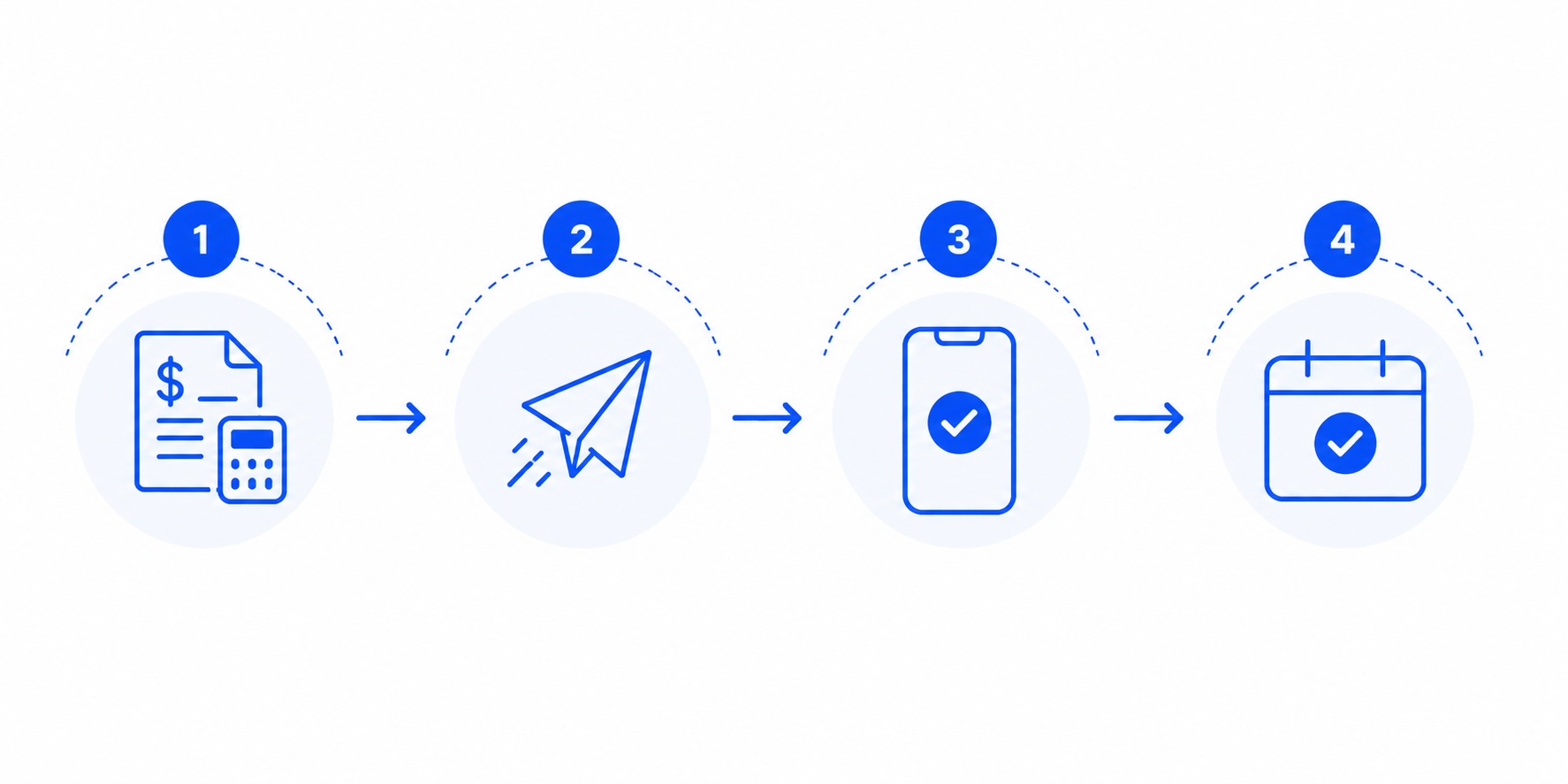
Create, send, approve, and schedule work in one connected workflow—without duplicate data entry.
Create the estimate
Build accurate estimates using saved services, products, bundles, pricing, taxes, discounts, photos, and notes.
Send for approval
Deliver estimates by email, SMS, or push notification so customers can review them wherever they are.
Customer approves
Customers can approve estimates online or through the mobile app, helping reduce back-and-forth communication.
Schedule the work
Turn approved estimates into scheduled jobs or visits without re-entering customer or service information.
1Create the estimate
Build accurate estimates using saved services, products, bundles, pricing, taxes, discounts, photos, and notes.
2Send for approval
Deliver estimates by email, SMS, or push notification so customers can review them wherever they are.
3Customer approves
Customers can approve estimates online or through the mobile app, helping reduce back-and-forth communication.
4Schedule the work
Turn approved estimates into scheduled jobs or visits without re-entering customer or service information.
One connected estimate workflow keeps your team moving from estimate creation to scheduled work.
Give customers clear pricing while giving your team the tools to quote work accurately and consistently.
Build estimates faster using services, products, and bundles already stored in your catalog.
Add labor, products, taxes, and discounts while keeping pricing clear and consistent.
Include supporting photos and detailed notes to help customers understand the recommended work.
Create estimates for one-time jobs or ongoing service contracts from the same workflow.
Present customers with polished estimates that reflect your company's brand.
Keep estimates organized so your team can see what has been sent, approved, or still needs attention.
THE MOMENTUM DIFFERENCE
See how a connected estimating process reduces manual work, simplifies approvals, and keeps every opportunity moving forward.


Explore connected features
Estimates are only the beginning. Connect accepted work to the tools your team uses to schedule, complete, invoice, and manage every job.
See how Momentum helps home service businesses create professional estimates, simplify customer approvals, and turn accepted quotes into scheduled work.
No contracts • Cancel anytime • Free onboarding • U.S.-based support