
Momentum FSM

Technician App

A Field Service Technician App Built for the Way Your Team Works

Give technicians everything they need to get through the day—from schedules and property information to service history, checklists, photos, invoices, and payments—all in one mobile field service app.

Product screenshot

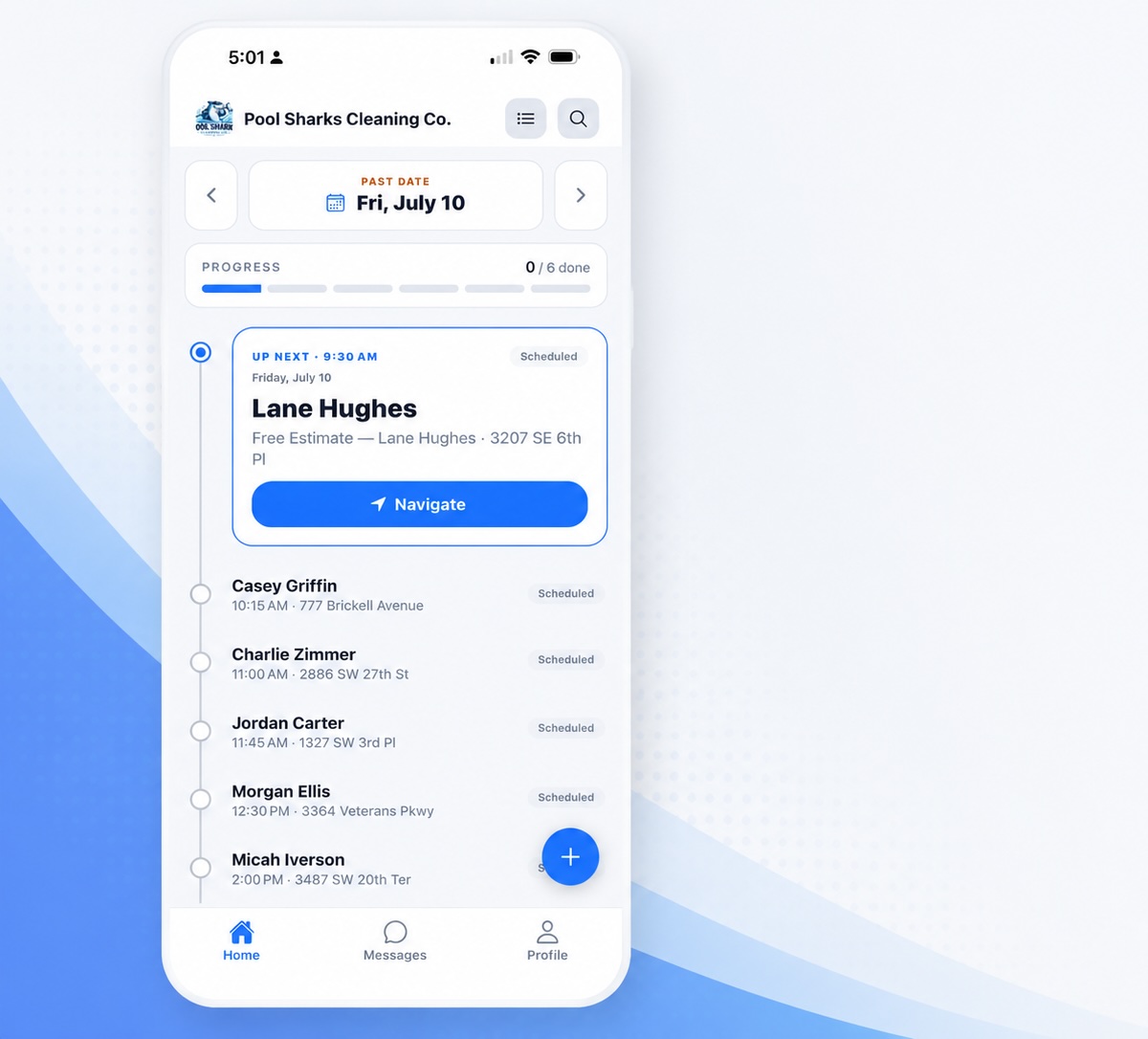
Everything Technicians Need for Every Stop

Give your field team the information they need to arrive prepared, complete work accurately, and keep every job moving without relying on calls back to the office. From customer and property details to service history and job requirements, Momentum keeps essential information connected to each appointment so technicians know what to expect before they arrive and what needs to be completed on-site

  • View customer, property, and access information

  • Review service history, equipment details, and previous notes

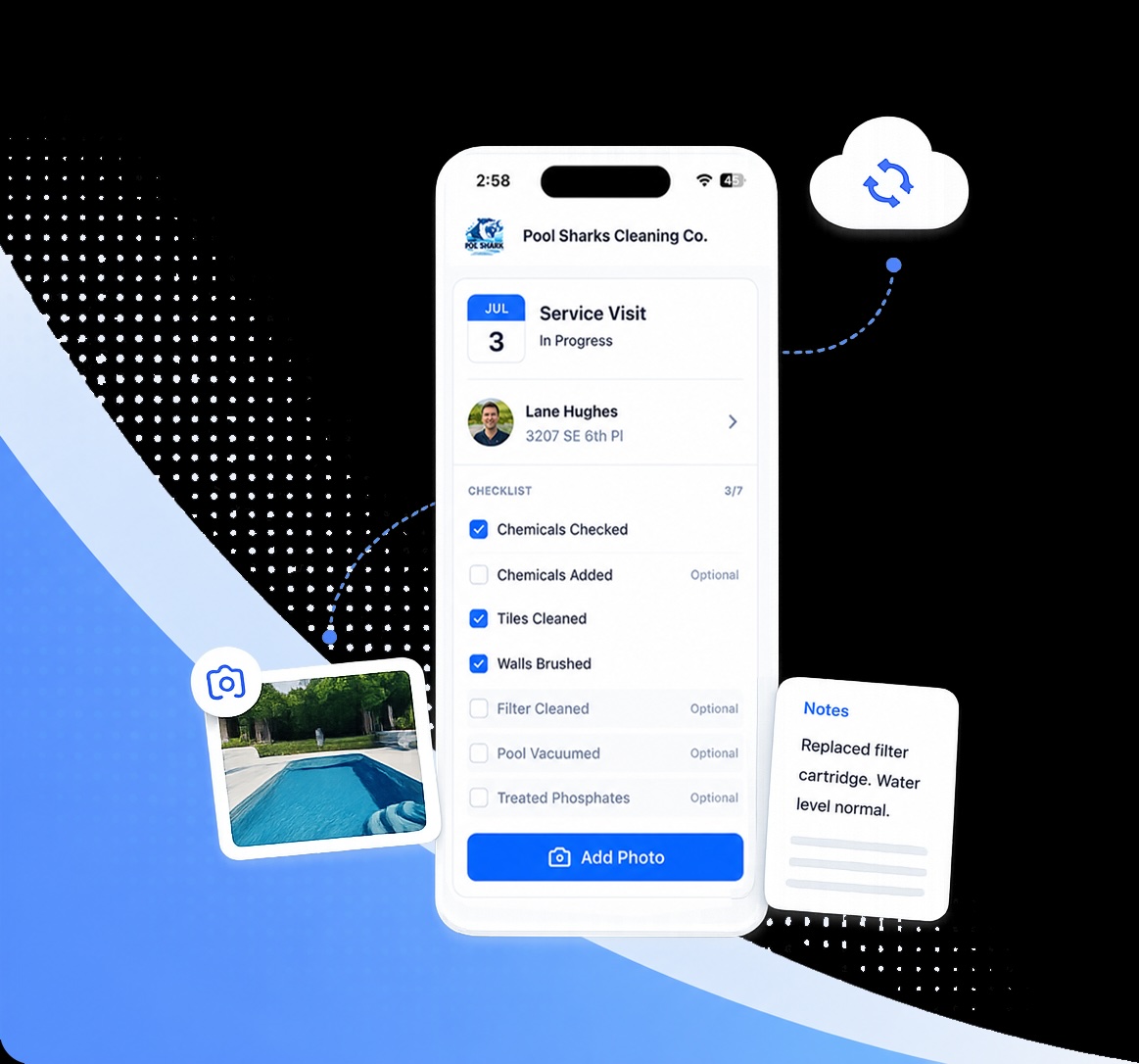
  • Complete checklists, capture photos, and document work

  • Update job status, collect signatures, and finish work from the field.

Product screenshot

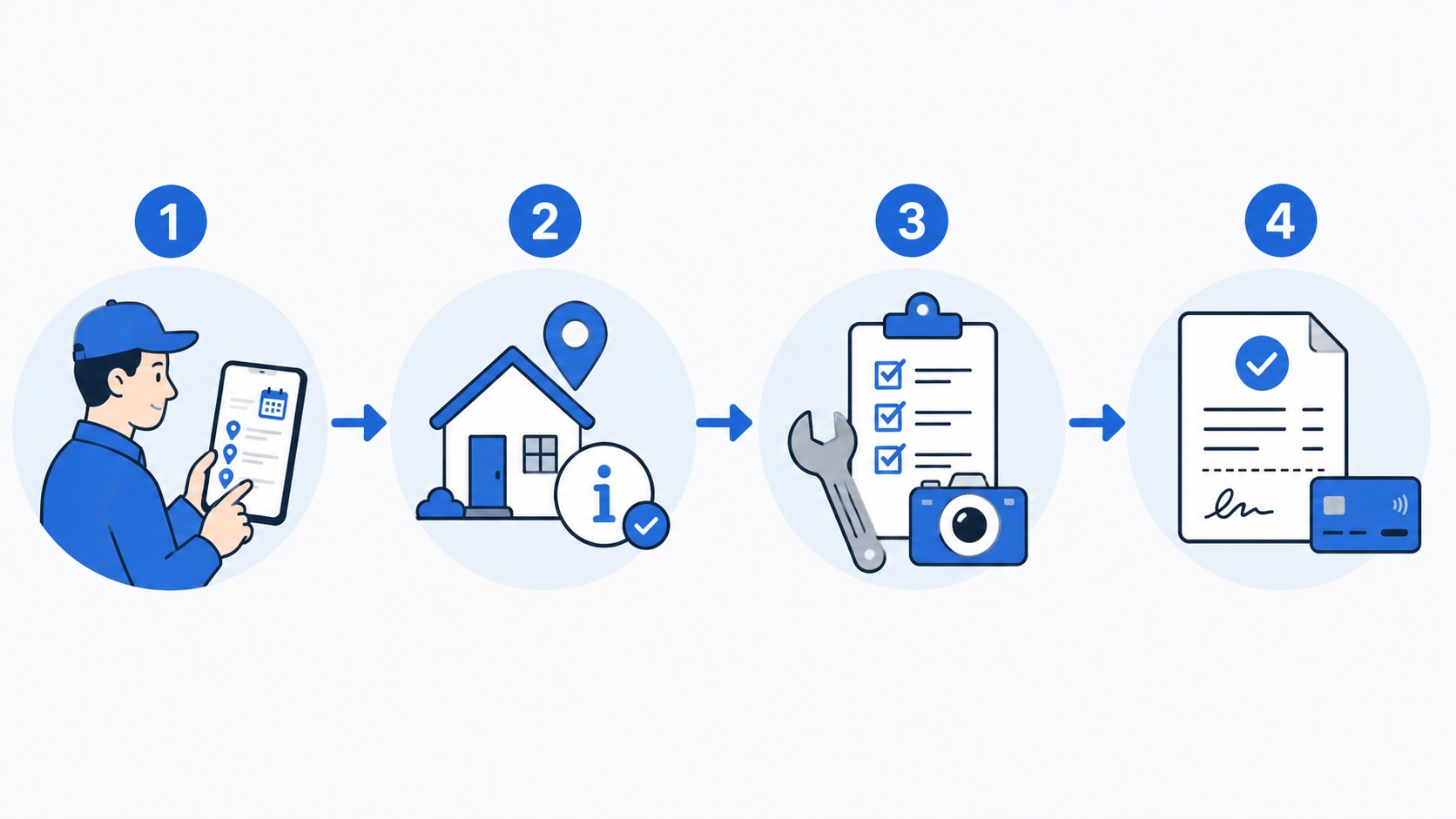
From Today’s Schedule to a Completed Job

Give technicians a clear, repeatable process for every service visit while keeping the office connected to what’s happening in the field.

Workflow from customer request to scheduled work
  1. 1Review Today’s Work

    See scheduled jobs, customer information, addresses, route details, and special instructions before heading to the first stop.

  2. 2Arrive Prepared

    Open the job to review property information, equipment history, previous notes, photos, and service requirements.

  3. 3Complete & Document

    Follow digital checklists, record service details, capture photos, add notes, and update equipment information while on-site.

  4. 4Close Out the Job

    Capture signatures, create invoices, collect payment when needed, mark the job complete, and continue to the next appointment.

From first stop to final update, Momentum keeps field work connected to the office automatically.

Everything Your Field Team Needs in One App

Give technicians fewer systems to manage and more of the information they need to complete each job correctly.

iOS Service Rep App product screenshot
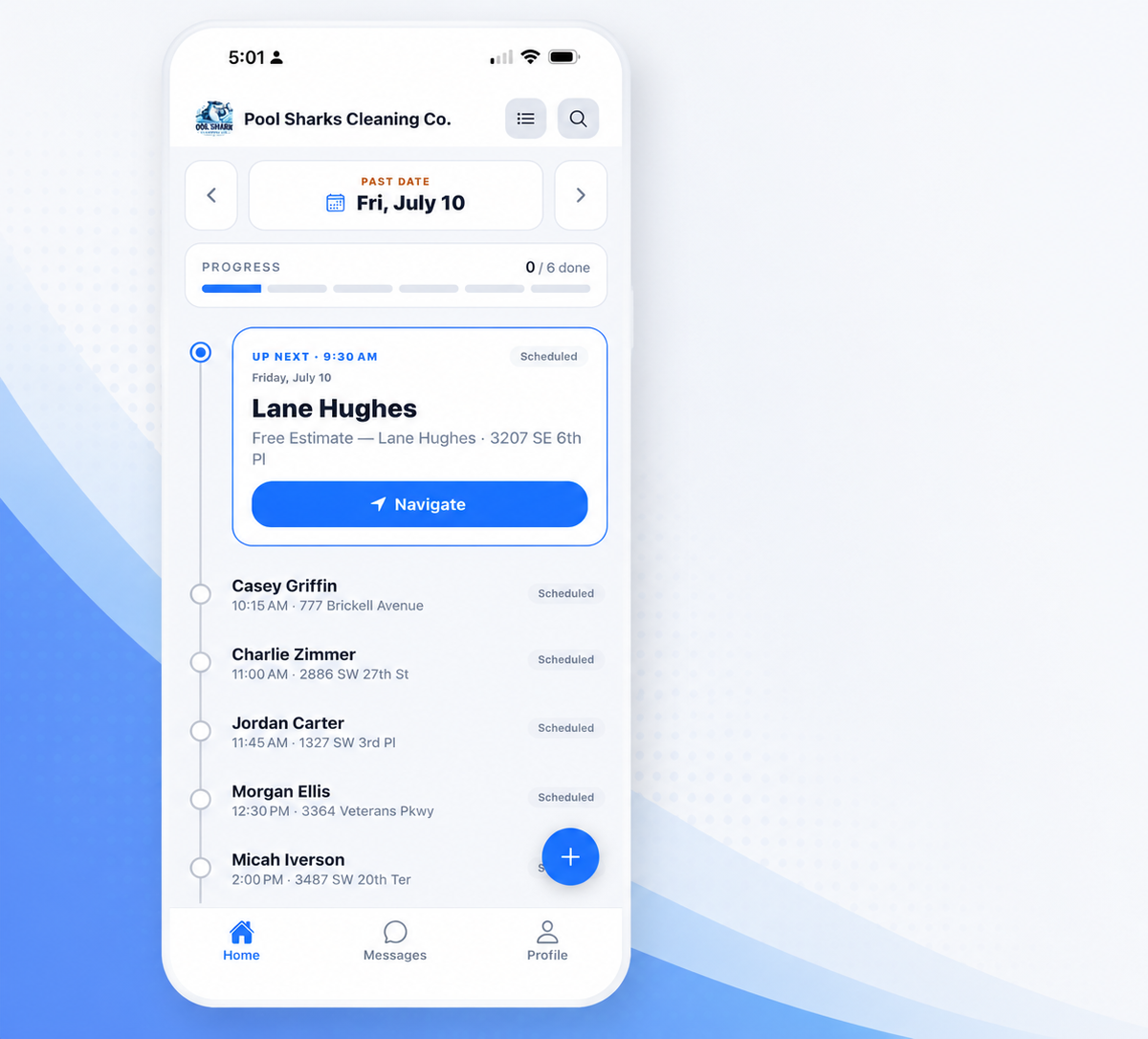
  • Daily Schedule & Routing

    Keep appointments, customer locations, arrival details, and route information organized in one place.

  • Customer & Property Details

    Give technicians access to gate codes, pets, parking instructions, property notes, contact information, and other important details.

  • Offline Access

    Keep working when cellular service is unreliable. Access job information, complete checklists, add notes, and document work until connectivity returns.

  • Custom Digital Checklists

    Create service-specific checklists that help technicians follow consistent processes and capture the information your business needs.

  • Photos & Job Documentation

    Capture before-and-after photos, technician notes, service details, readings, and other job documentation directly from the field.

  • On-Site Job Completion

    Update statuses, capture customer signatures, create invoices, collect payments, and close out work without returning to the office.

THE MOMENTUM DIFFERENCE

Less Time Chasing Information. More Time Getting Work Done.

Keep technicians connected to the information and tools they need throughout every service visit.

technician app icon

Without Momentum

  • Technicians rely on calls and texts for job details
  • Customer and property information is scattered
  • Paper or inconsistent checklists lead to missed steps
  • Photos and job notes are collected separately
  • Service history can be difficult to access in the field
  • Poor cellular service can interrupt field work
  • Office staff waits for technicians to report job updates
technician app icon

With Momentum

  • Schedules and assigned jobs are available in one app
  • Customer, property, and equipment details travel with the job
  • Digital checklists guide technicians through each service
  • Photos, notes, and readings are documented on-site
  • Service history is available when technicians need it
  • Offline access keeps work moving without reliable service
  • Job updates sync back to the office automatically
Learn More

Explore connected features

Technicians work best when the rest of your operation works with them. Explore the Momentum features that keep jobs moving from the office to the field and through payment.

Frequently asked questions

Yes. Momentum allows technicians to continue accessing important job and customer information, complete checklists, add notes, and document work when cellular service is unavailable. Information syncs when connectivity is restored.

Give Your Technicians Everything They Need to Keep Work Moving

From the first appointment to the final job of the day, Momentum gives your field team the schedules, customer information, checklists, documentation, and tools they need to work confidently from one connected app.

No contracts • Cancel anytime • Free onboarding • U.S.-based support

Get the Momentum app

Schedule, dispatch, and serve customers from your phone.